
[ccpw id="5"]
Stop Guessing Whether Your DCA Plan Makes Sense. Test It First.
Run your exact DCA strategy against real historical price data in under 60 seconds.
Equal DCA. Dynamic DCA. Buy-the-dip. Lump sum. 10-asset portfolios. Exits. Crash scenarios.
Before you put real money into a plan, see how it would have behaved in the past.
14-day refund. No questions asked. One-time payment. No subscription.
Most DCA Content Never Answers the Real Question
People online love to say “just DCA.”
That is not the hard part.
The hard part is knowing whether your version of DCA makes sense.
- If you had invested $500/month into BTC starting in January 2021, where would you be today?
- If you had bought more aggressively during major drawdowns, would that have improved the result or made the ride worse?
- If you were spreading capital across 5 or 10 assets, would your weighting have held up through 2022?
- If you plan to scale out as risk rises, what would that have looked like in practice?
Most people debating these questions have never actually tested their plan.
So they do one of two things. They copy someone else’s strategy and hope it holds up. Or they wait for the “right time” and never build position at all.
Neither approach is systematic.
Why I Built This
For two years I ran my own investing system in a 23-column spreadsheet. The system itself was fine — the risk-first framework that underlies everything I teach. What kept failing was the interface.
A position would hit high risk during a busy week. The row would get buried under twenty other fields I didn’t need. I’d miss the signal and give back half the gain before I noticed.
The system was fine. The interface wasn’t.
DCA Simulator Pro is the tool I wish had existed when I started — the thing that lets a working investor test a real plan against real history without maintaining a fragile spreadsheet or trusting someone else’s YouTube backtest.
Introducing DCA Simulator Pro
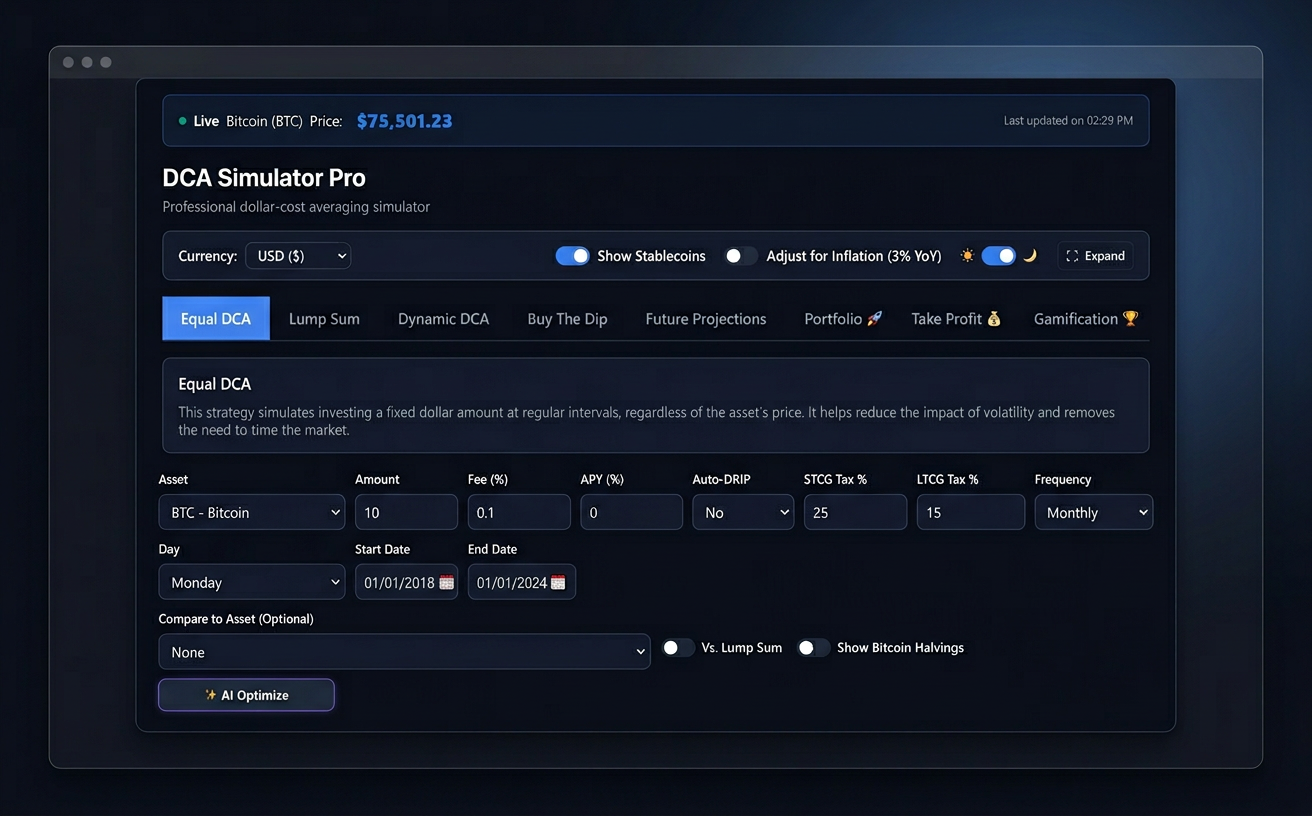
DCA Simulator Pro lets you run your exact investing plan against real market history across crypto, equities, and multi-asset portfolios.
You choose the asset, the timeframe, the contribution schedule, the rules, and the position sizing.
The simulator shows you what would have happened in dollars, percentages, drawdowns, and portfolio behavior — before you commit capital.
This is not a prediction tool. It is a decision-support tool for investors who want to think clearly, test assumptions, and stop relying on guesswork.
How It Works
- Choose your asset(s), timeframe, and contribution rules.
- Run the simulation and review returns, drawdowns, and behavior in past markets.
- Adjust your plan until the profile matches your risk tolerance and goals.
What It Does
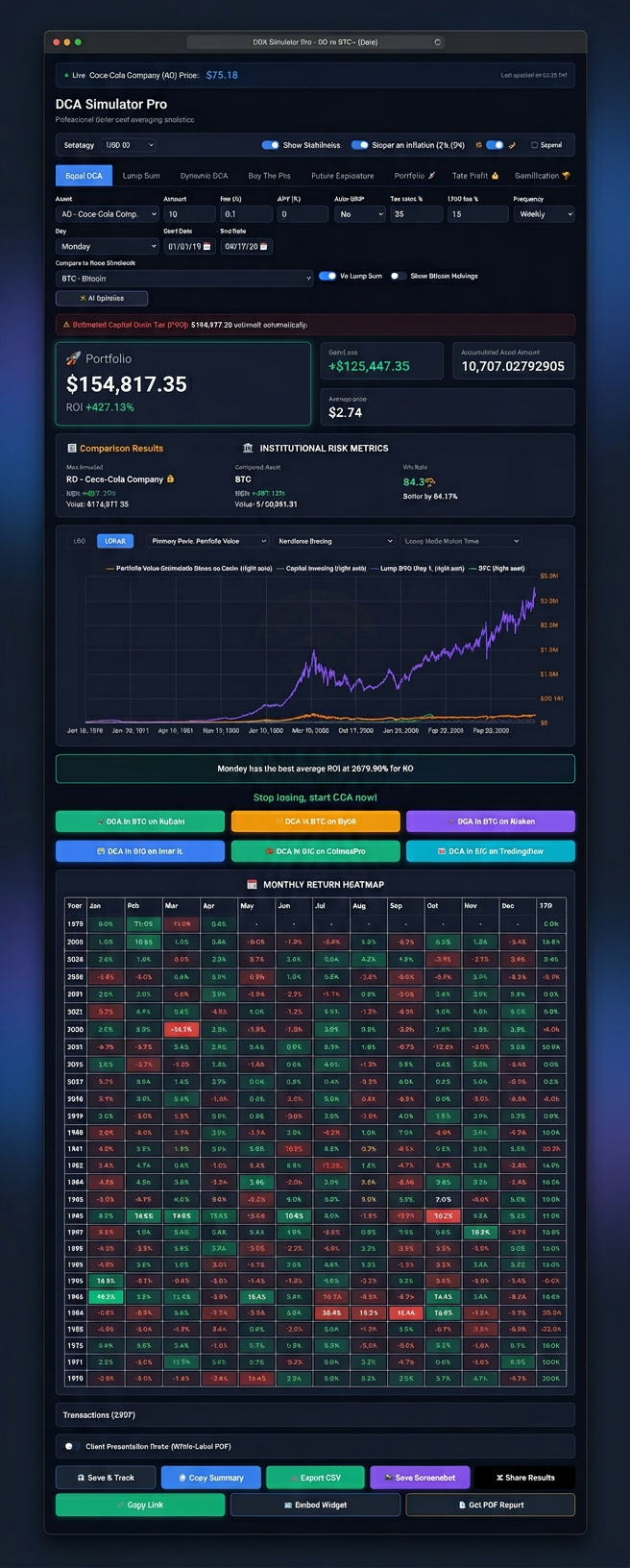
1) Seven simulation engines
Model Equal DCA, Lump Sum, Dynamic DCA, Buy-The-Dip / Conditional entries, Future Projections, 10-Asset Portfolios, and Take-Profit / DCA-Out. Instead of arguing about which approach is “best” in theory, test how each one behaved on the asset and time window you care about.
2) Historical crash scenarios
Replay major drawdowns and stress-test your plan against difficult periods. If a strategy looks good only in calm markets, it helps to know that before real money is involved.
3) Dynamic DCA engine
This is where the simulator becomes more useful than a basic calculator. Most tools only model flat recurring buys. DCA Simulator Pro lets you test variable position sizing based on risk, price movement, or your own rules.
4) Multi-asset portfolio testing
Build a portfolio across stocks, crypto, or both, assign weights, and run the strategy across all of them together. A plan that looks clean on one asset can behave very differently once correlation, weighting, and capital allocation enter the picture.
5) Exit modeling
Most DCA tools focus only on entries. This one also lets you model exits — including scaling out over time or reducing exposure at predefined levels.
6) AI Optimize
Enter your capital, timeframe, and risk tolerance, and the simulator suggests historically stronger parameter sets to use as a starting point. You are still in control. The tool helps you test faster. It does not make decisions for you.
7) Inflation and stablecoin handling
Returns can be viewed in nominal or inflation-adjusted terms. Stablecoins are handled correctly so the output stays clean and realistic.
8) Alerts on saved plans
Save a scenario and get notified when live market conditions match the setup you already tested. The simulator is not just useful once — it can stay connected to the process.
9) Shareable results and embeds
Every saved simulation can generate a shareable URL. If you publish research, run a newsletter, or teach investing, you can use the simulator output inside your content.
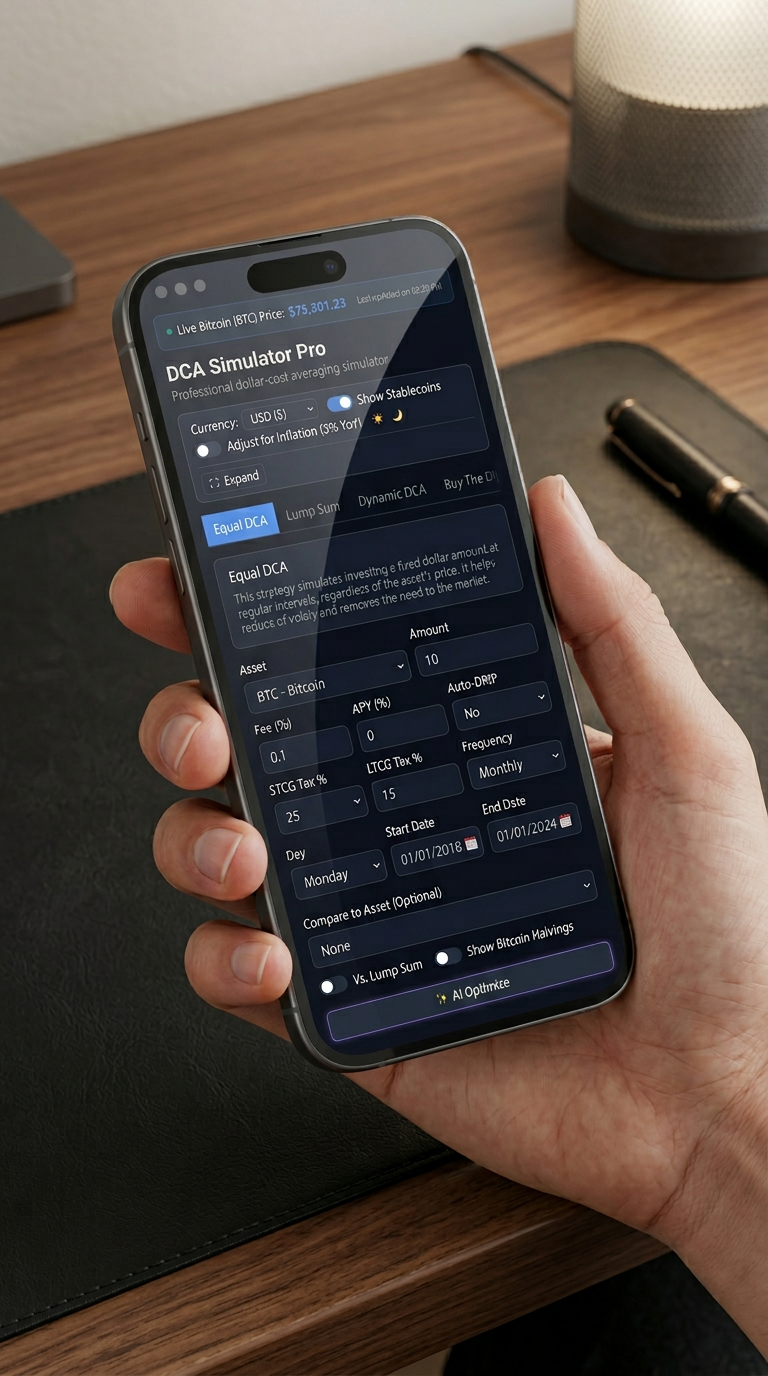
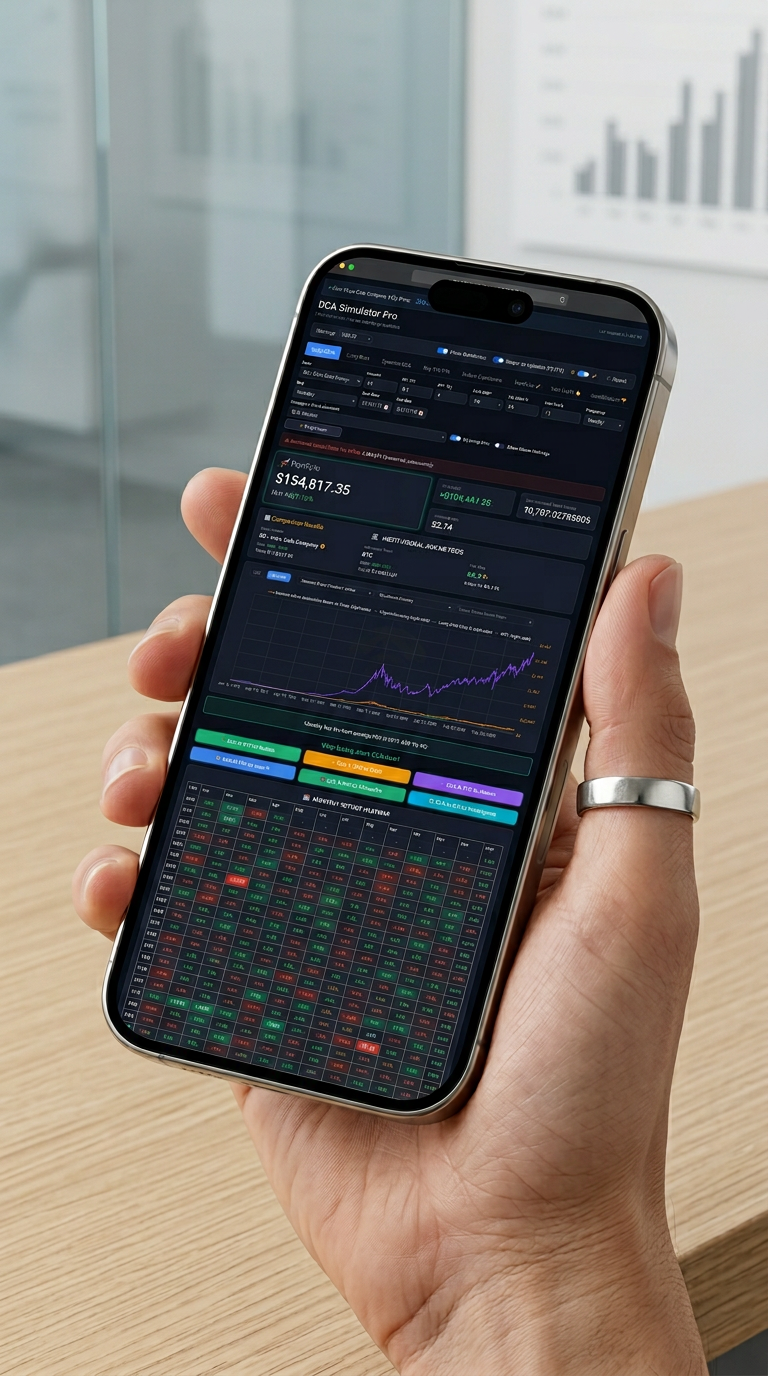
10) Clean on desktop and mobile
The interface works on desktop and phone, in light or dark mode. No install. No setup. Just log in and run the simulation.
Who It’s For
DCA Simulator Pro is built specifically for busy professionals — engineers, accountants, doctors, and operators — who want their money to work in the background without becoming full-time day traders.
Built for
- Investors actively building positions who want to validate their process before committing larger capital.
- Professionals who want a systematic way to test plans without spending hours managing fragile spreadsheets.
- Newer investors who want to learn by comparing real historical outcomes instead of opinions.
Not built for
- Day traders looking for intraday signals.
- Anyone looking for asset recommendations or “what to buy.”
- Investors who have no interest in testing strategy and just want a one-click guaranteed outcome.
The simulator runs your plan. It does not replace judgment.
The Pro Tier
| Feature | Free | Pro |
|---|---|---|
| Equal DCA engine | ✓ | ✓ |
| Lump Sum comparison | — | ✓ |
| Dynamic DCA | — | ✓ |
| Buy-The-Dip / Conditional | — | ✓ |
| Future Projections | — | ✓ |
| 10-Asset Portfolio Simulator | — | ✓ |
| Take-Profit / DCA-Out | — | ✓ |
| Historical crash scenarios | — | ✓ |
| AI Optimize | — | ✓ |
| Alerts on saved plans | — | ✓ |
| Inflation toggle | — | ✓ |
| Shareable results | — | ✓ |
| Iframe embed | — | ✓ |
| Priority support | — | ✓ |
Pricing
For reference: a fee-only financial planner typically charges $300–500 per hour to stress-test a single investment plan. One session, one plan, one pair of eyes.
Pro Lifetime
$199 one-time
Pay once and keep access for life, including future Pro features and datasets added to the product.
You already have enough subscriptions to manage. This is a single, one-time license — no recurring monthly charge.
14-day refund. No form. No “why are you leaving?” flow.
Common Questions
Can’t I just build this in a spreadsheet?
For a single asset and flat monthly buys, yes. I did that for two years.
For multi-asset portfolios, conditional entries, exits, scenario testing, and repeatable comparisons, spreadsheets get messy fast. This tool exists to make that process faster, cleaner, and easier to trust.
Is the data accurate?
The simulator uses historical market data and shows the date range and source behind each run. No black box. No hidden smoothing. You can see what period is being tested.
Will this tell me what to buy?
No. That is intentional. The simulator helps you test a plan on assets you choose. It does not make asset recommendations.
What if I’m a beginner?
Start with the free version. Use the Equal DCA engine, learn the workflow, and upgrade only when you want deeper strategy testing.
Do I need to install anything?
No. It runs in your browser.
Is this financial advice?
No. DCA Simulator Pro is an educational tool. It runs hypothetical scenarios on historical data. It does not make recommendations, predict future results, or replace professional financial advice.
Test the Plan Before You Fund It
The market doesn’t care how confident you feel.
Test the plan before you fund it.
14-day refund. No questions asked.
Educational tool. Not financial advice. Past performance is not indicative of future results.